Battle-testing Temporal - Part 2
In part 2 of this series about Temporal I want to dive deeper into some of the details involved in making workflows actually run and run properly.
Diving into:
-
Starting and communicating with a Workflow
-
Supporting replay, continueAsNew and early signals
-
Adding an Activity and hooking it all up together
Starting and communicating with a Workflow
Now that I’ve shown a bit of the basics of how workflow code could look like, it’s time to look at actual code instead of pseudocode before diving deeper.
The most basic version of the workflow looks like this:
@WorkflowInterface
public interface TableWorkflow {
    @WorkflowMethod
    void workflow(InitialTable initialTable);
    @UpdateValidatorMethod(updateName = "onCheck")
    void validateCheck(Check check);
    @UpdateMethod
    void onCheck(Check check);
    ...
}

public class TableHandler implements TableWorkflow {
    private TableState state;
    @Override
    public void workflow(InitialTable initialTable) {
        state = TableState.fromInitial(initialTable);
        while (state.getStatus() != FINISHED) {
            // do stuff
        }
    }
    @Override
    public void validateCheck(Check check) {
        // see part 1
    }
    @Override
    public void onCheck(Check check) {
        // see part 1
    }
    ...
}
As you can see all the Temporal annotations are added to a separate interface.
In order to actually start a workflow you need two things:
-
a
Workerthat registers itself as able to run a particular workflow implementationclass. -
a
WorkflowClientto tell Temporal to start the actual workflow using theinterface.
Registering the worker
void startWorker() {
    WorkflowServiceStubs serviceStubs = WorkflowServiceStubs.newLocalServiceStubs();
    WorkflowClient client = WorkflowClient.newInstance(serviceStubs);
    WorkerFactory factory = WorkerFactory.newInstance(client);
    Worker worker = factory.newWorker("all_tables"); // <--- the task queue
    worker.registerWorkflowImplementationTypes(TableHandler.class); // <-- the workflow implementation
    factory.start();
}
As you can see its quite flexible, with a worker being able to specify any number of specific workflows that it is able to run. Furthermore, every worker must also specify a task queue, allowing for specific workers to work only for subsets of workflows of the specified workflow type(s). Effectively able to divide work in any number of different ways.
Creating a client and starting a workflow
void startWorkflow(String workflowId) {
    WorkflowServiceStubs serviceStubs = WorkflowServiceStubs.newLocalServiceStubs();
    WorkflowClient client = WorkflowClient.newInstance(serviceStubs);
    WorkflowOptions options = WorkflowOptions.newBuilder()
            .setTaskQueue("all_tables") // same task queue
            .setWorkflowId(workflowId)
            .build();

    TableWorkflow tableWorkflow = client.newWorkflowStub(TableWorkflow.class, options);
    InitialTable initialTable = new InitialTable(...)
    WorkflowClient.start(tableWorkflow::workflow, initialTable);
}
As you can see, you first create a WorkflowClient. Then you request a stub of a certain workflow interface type, specifying any details in the options.
the stub can then be used inside the WorkflowClient.start method to provide a method reference and the appropriate amount of input variables. In an indirect, but fully type-safe way.
Note that apart from newWorkflowStub the following flavors also exist.
newExternalWorkflowStub to communicate to other workflows from inside workflows.
newChildWorkflowStub to start a workflow as a child from within another workflow.
Supporting replay, continueAsNew and early signals
With the basic real-code example laid-out, a few more tweaks are needed to properly support restarting of the workflow. Restarting either as result of a failure or as part of the best-practice to restart the workflow from its current state as checkpoint. To clean up a history that is reaching its size limits.
As with other event-sourced systems, when event history grows too large, non-functional issues start to arise. So it’s best to start from a fresh checkpoint once every while.
Again, the framework gives the user full control over where and when to do this. Even so, there is no way to prevent early signals. Which I noticed specifically happening around replays of workflows. Signals may in fact be fed to a workflow before its @WorkflowMethod has been called. Meaning in this case, the state variable may still be null when inside a @SignalMethod or @UpdateMethod.
So three tweaks are needed:
-
changing the workflow method to directly accept the TableState in any form
-
triggering
continueAsNewwhen history becomes to large -
dealing with
statein @SignalMethod or @UpdateMethod
public class TableHandler implements TableWorkflow {
    private TableState state;

    @WorkflowInit
    public TableHandler(TableState tableState) { (1)
        this.state = tableState; (3)
    }

    @Override
    public void workflow(TableState tableState) { (1)
        while (state.getStatus() != FINISHED) {
            // do stuff

            if (Workflow.getInfo().getHistoryLength() >= 5000) {
                // make sure other methods finished completely
                Workflow.await(Workflow::isEveryHandlerFinished);
                Workflow.continueAsNew(state); (2)
                return; // immediately stop this workflow instance
            }
        }
    }
    ...
}
"not relying on state in @UpdateMethod" proved to be effectively impossible, not being able to validate the user input without knowledge of the state. Conveniently Temporal provides the @WorkflowInit annotation which you can put on the constructor. Effectively switching to the more typical constructor-based state injection to help with simple state always being available.
| You can only run simple non-blocking logic in constructors |
Its good form to use Workflow.await(Workflow::isEveryHandlerFinished) before signaling to Temporal the workflow should be started fresh from a particular state with Workflow.continueAsNew(state).
This is because Temporal will create a new instance of the workflow class providing the given state as input of the workflow method.
But any @UpdateMethod that was somehow interleaved half-way and is still not fully finished at this point, will likely be problematic.
Therefore, it’s best to use the specific await condition for this.
By keeping all @UpdateMethod free from activities/awaits and just queueing work, no interleaving can happen.
|
The theoretical maximum history length to check for depends highly on the amount of bytes per recorded event. The default is maximum size 50MB for the entire history. Meaning small events will take you further than large events (and so will binary encoding over the JSON default).
| I would recommend using your personal use-case and user-experience with the Temporal Dashboard to guide you to a history size threshold. |
Are we hardened yet?
To the best of my knowledge, this workflow is now fully ready to handle (deliberate) restarts and weird edge-cases.
Continued workflows
When looking that the dashboard you can spot continued workflows quite easily:

As you can see, each time it continues from a certain state (checkpoint) a new run is started using a unique Run ID. The concept of a Run is mostly relevant in the context of a client that can either point to the workflow (automatically the active run), or point to a specific Run ID.
Replayed workflows
A workflow that failed or otherwise got killed half-way completion, will automatically be brought back online by the framework whenever a suitable worker is active (again).
This is done entirely based on event-sourcing, with the framework restarting the workflow from its initial state following by feeding it all recorded signals.
Where applicable during its re-execution instantly returning previously recorded values of things like Workflow.newRandom() or results of recorded calls to activities.
The workflow itself being oblivious to whether or not its being replayed or at what point normal progression resumes.
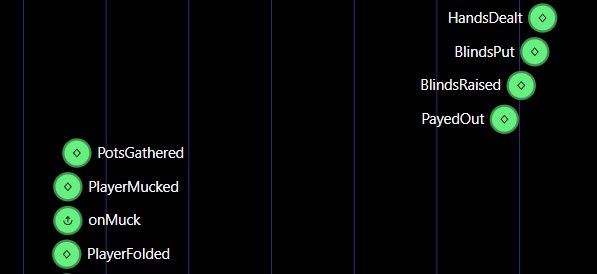
Idiomatically a workflow that is restarted with a replay also doesn’t count as a new Run, but rather as a continuation of the same run. With the dashboard only showing actual workflow-level errors if any. E.g. stopping and starting a worker mid-process merely resulting in a visible time-gap of progress being made.
Adding the Activity into the mix
While the above example code is now presumed to be properly written, it is not showing the Activity to push events to clients yet.
Using an Activity looks somewhat the same as acquiring a stub to a Workflow, but with specific options to deal with timeouts and retries.
With each call persisted in history by default, this is where Temporal shines.
Able to keep retrying an activity until it succeeds, even across restarts of the workflow itself for as long as you specify.
public class TableHandler implements TableWorkflow {
    private final TableEventPublisher eventPublisher = Workflow
            .newActivityStub(TableEventPublisher.class, ActivityOptions.newBuilder()
                    .setStartToCloseTimeout(ofSeconds(10))
                    .setRetryOptions(RetryOptions.newBuilder().setMaximumAttempts(3).build())
                    .build());

    private void putBlinds() {
        // uses the activity to create a side effect (in this case publishing an event)
        eventPublisher.blindsPut(new BlindsPut(...));
        // create some delay before dealing the cards
        Workflow.sleep(Duration.ofSeconds(2)); // <-- returns instantly during replay
    }
    ...
}
My minimal activity implementation looks like this for now
@ActivityInterface
public interface TableEventPublisher {
    void blindsPut(BlindsPut blindsPut);
    ...
}
// local-jvm implementation that just puts incoming events on an internal queue
public class QueueTableEventPublisher implements TableEventPublisher {
    private final BlockingDeque<TableEvent> queue = new LinkedBlockingDeque<>();

    @Override
    public void blindsPut(BlindsPut blindsPut) {
        queue.add(blindsPut);
    }

    // ... other specific event methods

    public TableEvent nextEvent() throws InterruptedException {
        return queue.take();
    }
}
Now, just like for the workflow, the activity needs to be registered by a worker.
Unlike for workflows, not the implementation class but a specific object needs to be registered. Allowing for easy integration with existing externally managed beans etc. and easy testing!
QueueTableEventPublisher tableEventPublisher = new QueueTableEventPublisher();
worker.registerActivitiesImplementations(tableEventPublisher);
Hooking it all together, with a local dummy-client implementation listening to the published events and sending player actions.
public class PokerServer {
    void main() {
        QueueTableEventPublisher tableEventPublisher = new QueueTableEventPublisher();
        String workflowId = UUID.randomUUID().toString();
        startWorker(tableEventPublisher); // see earlier example
        startWorkflow(workflowId);        // see earlier example
        startClient(tableEventPublisher, workflowId);
    }

    void startClient(QueueTableEventPublisher eventPublisher, String workflowId) {
        WorkflowServiceStubs serviceStubs = WorkflowServiceStubs.newLocalServiceStubs();
        WorkflowClient client = WorkflowClient.newInstance(serviceStubs);
        TableWorkflow tableWorkflow = client.newWorkflowStub(TableWorkflow.class, workflowId);

        while (true) {
            // getting next event
            TableEvent tableEvent = tableEventPublisher.nextEvent();

            // sending a player action
            tableWorkflow.onCheck(new Check(...));
        }
    }
}
Learnings so far
-
Honestly, the early signals caught me off-guard and I had to double-check if this was indeed intended behavior of the framework, but it is. Choosing not to lose signals in edge-cases over what to me would appear to be a much friendlier default programming model of guaranteed availability of workflow input. Good to learn that they solved this by adding
@WorkflowInitwhich provides exactly that. -
Support for checkpointing by
Workflow.continueAsNewis straight forward, and it’s quite nice that you can pick any point in the workflow. From history size based to the raising of the blinds or something else that makes more sense to a specific use-case. -
The choice to use
interfaceandclassfor Workflows but an object for Activities seems spot on. Making it a breeze to bring in anything from highly dependency-managed implementations to mocks.
Next up…
Stay tuned for more to come as the code is ready for the next architectural step into multi-table tournaments with a tournament workflow orchestrating its per-table workflows as its ChildWorkflows.
